Emergency contacts on something they already carry
A card with your brand for every employee, contractor and visitor. One scan opens the emergency contacts the person chose to share, current at the moment of the scan, and nothing else.
- No app, either side
- Nothing stored on the card
- Your logo and colours
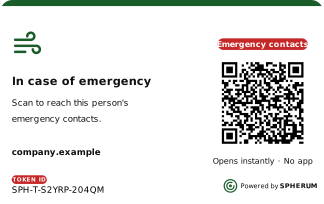
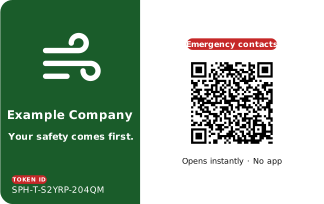
Design your cards online, in minutes
Put your brand on the card yourself, then send the design with your order.
- Four front layouts and two backs, sized for a wallet
- Your logo, colours, fonts and lines of text
- Both sides in view as you work
- QR code, token ID and the Spherum mark placed for you
- Design on design.spherum.ae, no sign-up needed.
- Send it with your order: how many, and where to.
- Printed by our production partner, every card with its own QR code and ID.
You can design and order cards at any time. They are printed by our production partner, and they work, only while your Spherum subscription is active.
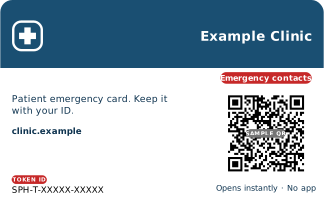
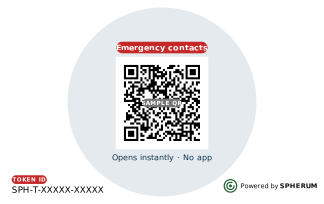
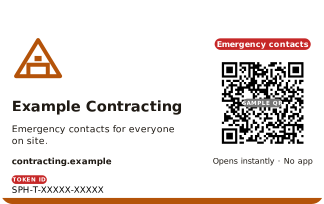
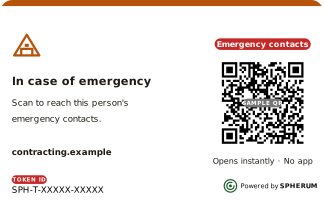
One card, made yours
Three made-up companies, drawn by the designer itself. Hover or tap a card to turn it over.
For every employee. A small, visible sign the company thought about them first.
For patients. Kept next to their ID, where responders look first.
For everyone on site, contractors and visitors included.
Every card is printed with its own QR code and ID. Codes marked Sample QR are placeholders; Example Company's opens the live demo.
A printed code. Everything else lives on the page it opens.
The card holds a QR code and a short ID, nothing more. Scan it, and the emergency contacts of the person who linked it load fresh, at that moment.
No app, either side
The person carrying it doesn't need one, and neither does whoever scans it. Any phone camera opens the page.
Nothing stored on the card
No contacts are printed or written on it. A scan opens a temporary address that expires after 30 minutes. Lose the card and nothing leaks, and it can be switched off.
Always current
The page shows what the person has today, not what was true on the day the card was handed out.
How a card becomes theirs
A card handed out is blank. It points at nobody until the person links it to themselves.
- 01
Scan it or type the ID
The person opens the QR with their phone camera, or enters the SPH-T-… printed on it if the code won't read.
- 02
Confirm it's theirs
One tap from their emergency sphere, and the card now points at their contacts.
- 03
It's live
From that moment, anyone who scans it sees what the person chose to share.
Put your care in every wallet
Cards are an add-on to any plan. Add tokens to your subscription at any time; they are printed by our production partner once your subscription is active.
Pricing depends on quantity and branding. Tell us what you need and we'll come back with pricing and timing.