SPHERUM
Features

Everything your company needs to reach the right person's people

Invite people in minutes, see who has answered, and keep emergency contacts current. Each person stays the owner of their own record: one update, and every company they've let in sees it.

See pricing →
  • From $29 a month, billed monthly
  • 14 days free
  • UAE PDPL
For your company

One workspace for everyone you're responsible for

Your own employees and the people you let in: contractors, patients, visitors.

A live roster, not a spreadsheet

See who has been invited, who has granted access and who has closed it, as it happens. Search and filter by status or sphere, and open a card when you need it.

  • Statuses update the moment a person acts
  • Archive a leaver and the place is freed at once
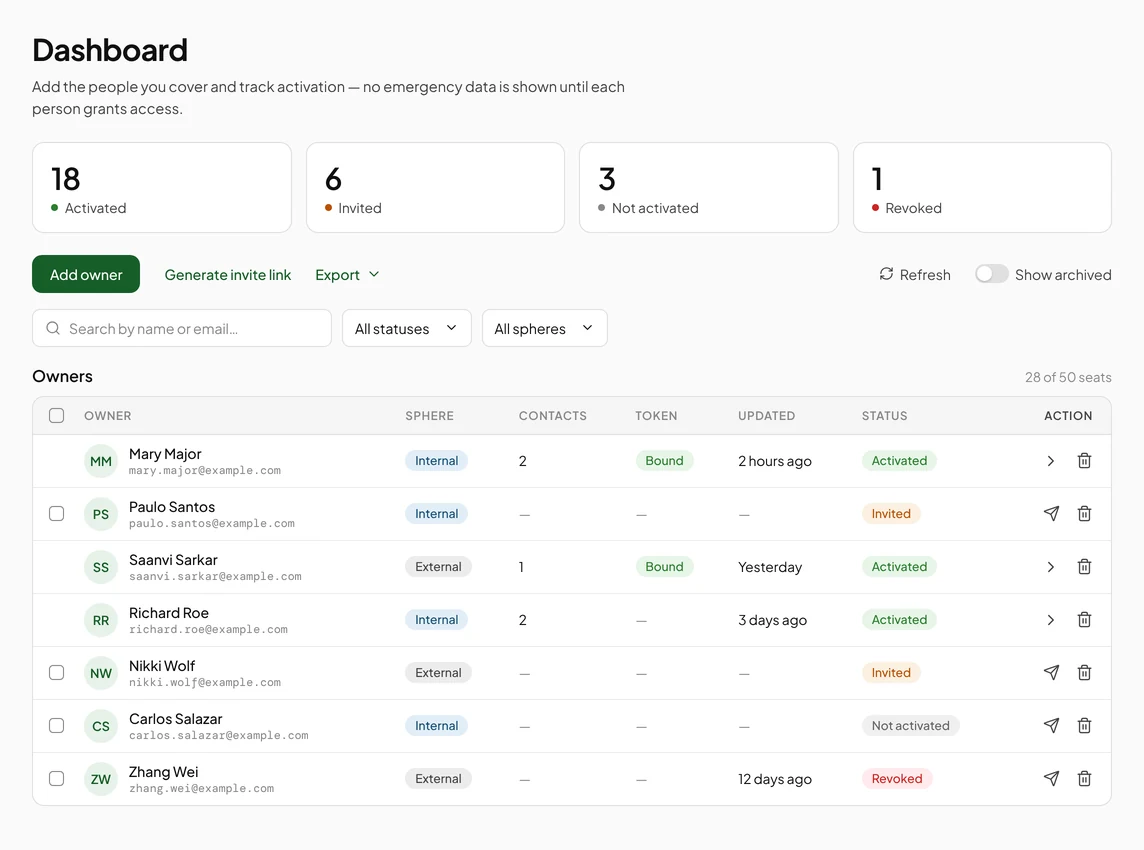
The Dashboard: counts of activated, invited, not activated and revoked people, and the roster with a status on each row

Invitations that do the asking

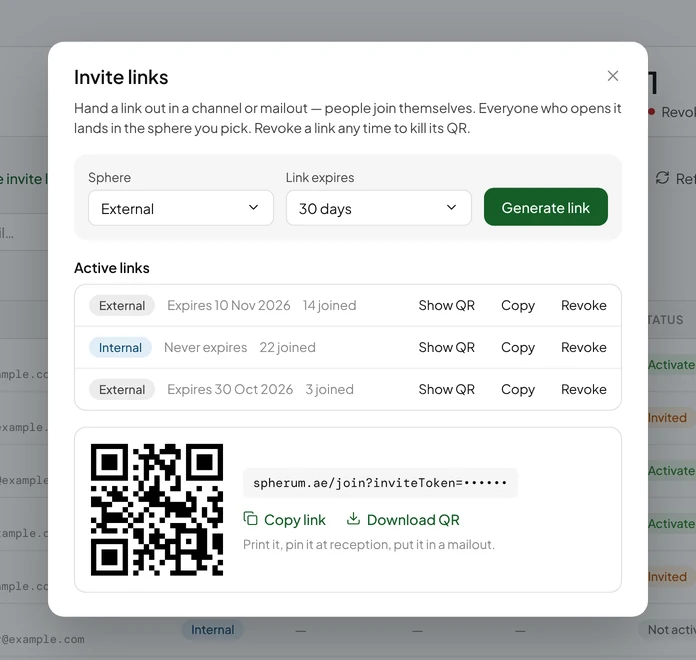
Invite people one at a time, in bulk, or with a shared link and QR code you can post anywhere. Set how long a link lives, and switch it off the moment you no longer need it.

  • Personal email invitations, one by one or all at once
  • Shared link and QR — people sign up with their own address
  • Resend to anyone who hasn't answered
The Invite links dialog: a sphere and an expiry to choose, three active links, and the QR code for one of them

Your fields, your template

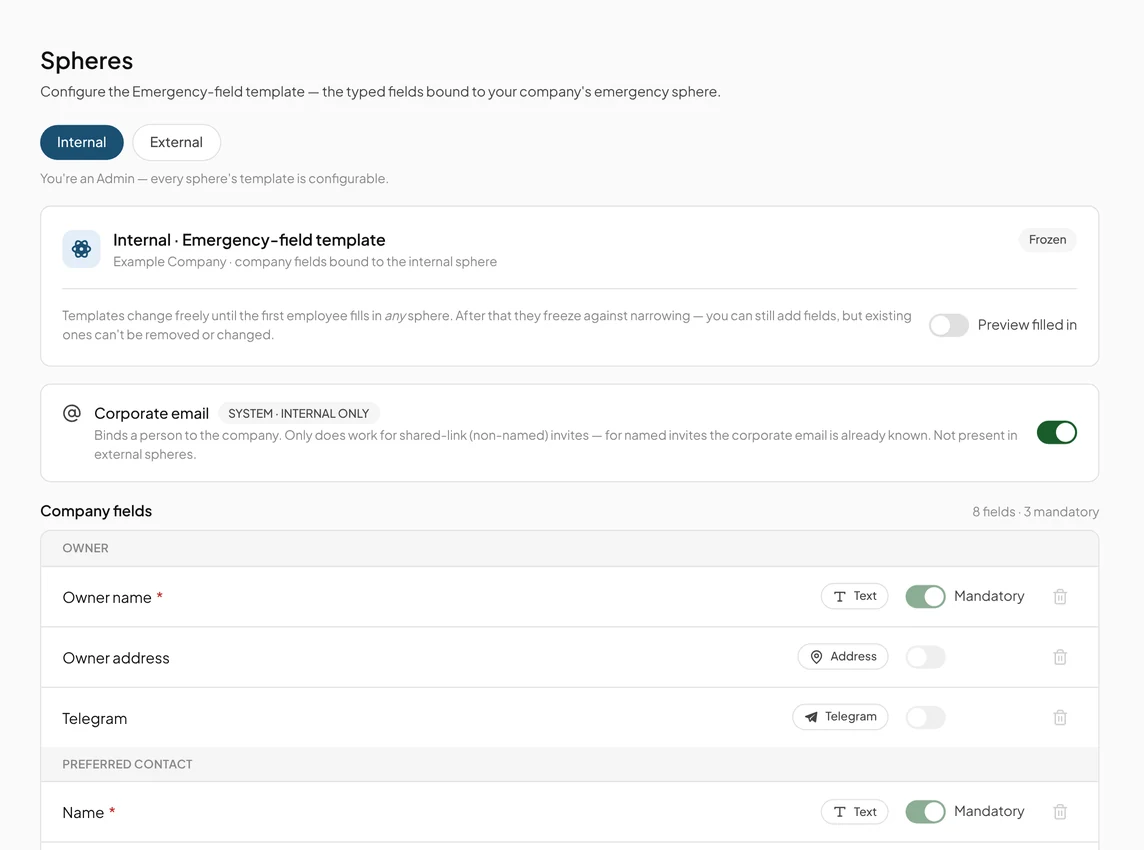
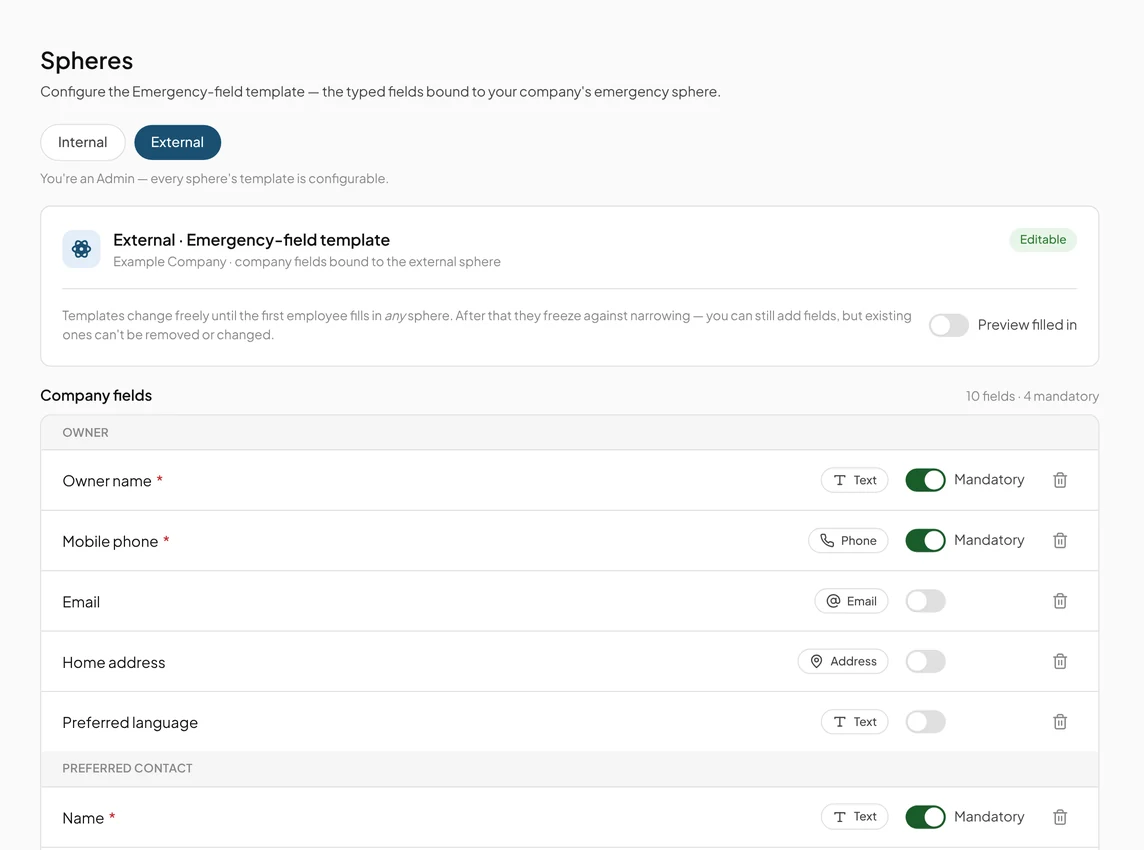
Decide what each sphere asks for and which fields are required. People see the exact list before they grant access, so nothing is collected by surprise.

  • Separate templates for employees and external people
  • Add a field later; existing records stay untouched
Internal sphere template: fields for your own employeesExternal sphere template: fields for patients and visitors

API and HRIS integration

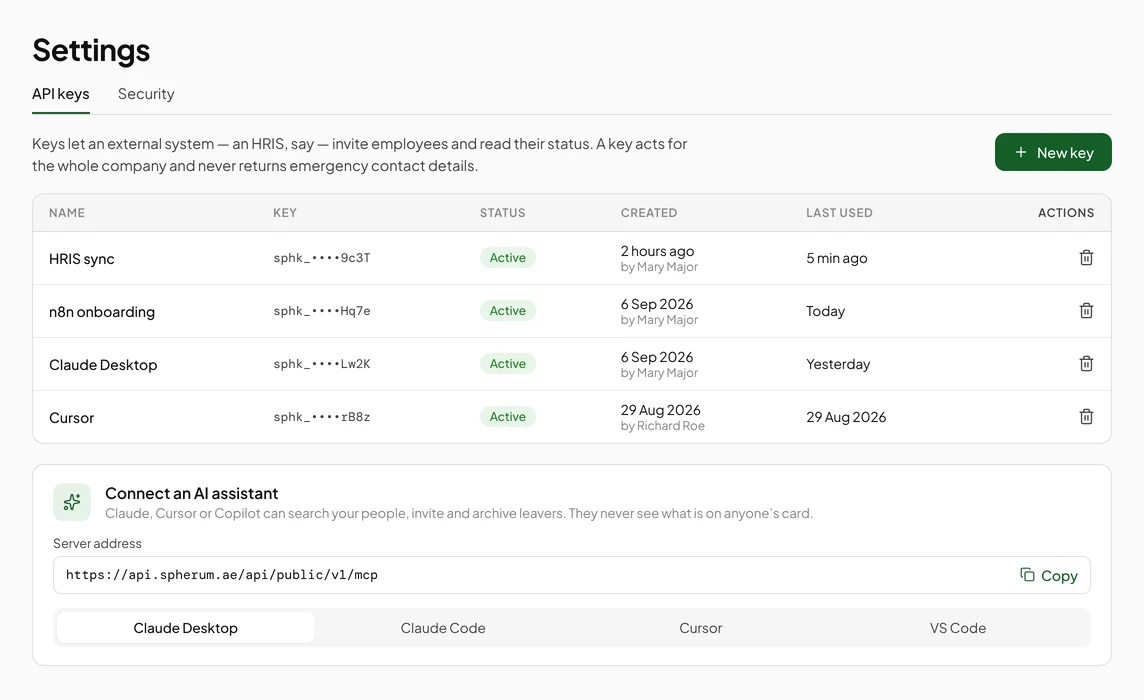
Connect your HR system so new starters are invited and leavers are archived without anyone touching the Portal. Keys are issued by your own admin, and no card contents ever leave through the API.

  • Invite, resend, archive and restore from any system
  • One key per integration, revoked in one click
See the API docs →
Settings, API keys: four named keys with when each was created and last used, and the MCP server address to connect an assistant

Team and access

Administrators run the workspace. Operators work only in the spheres they are assigned to. Two-factor sign-in for everyone on the team.

AdminOperator
For the person

The people you invite own their record

That is what makes them keep it current.

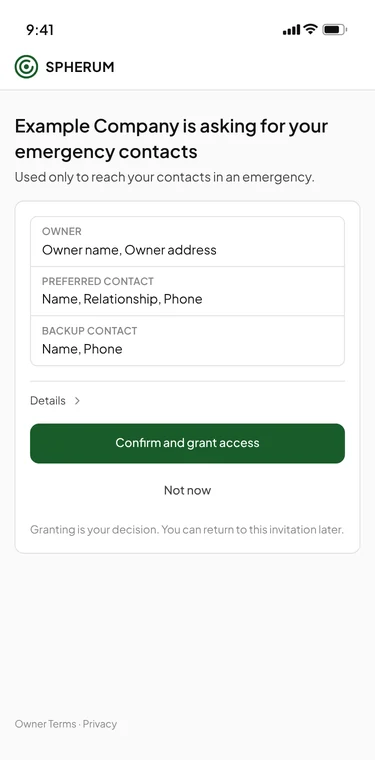
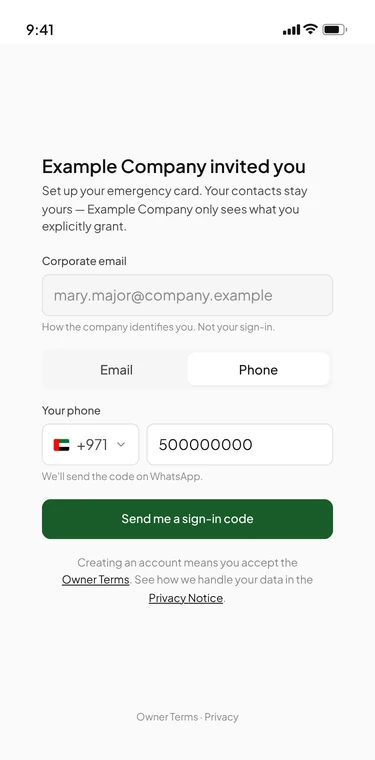
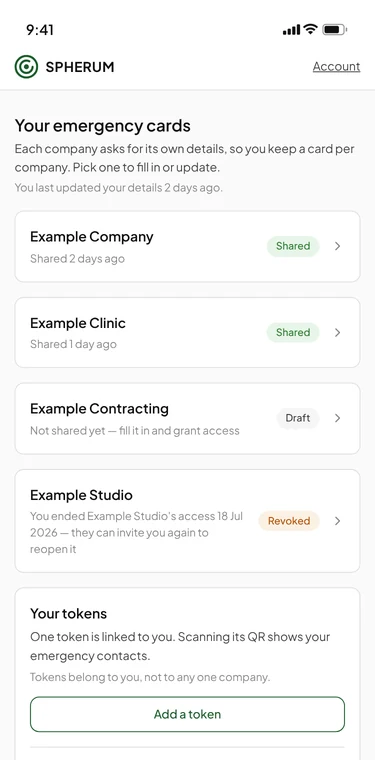
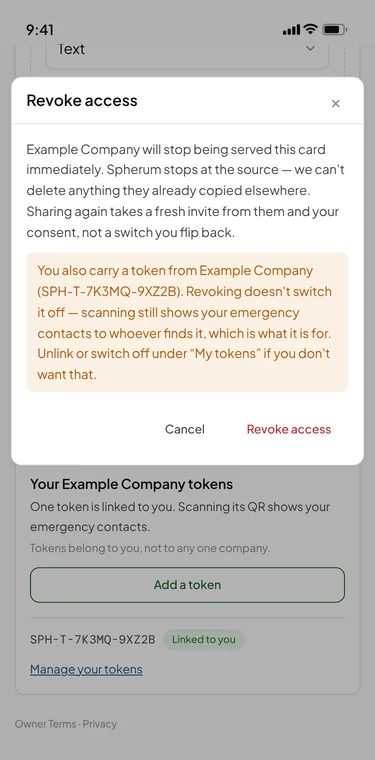
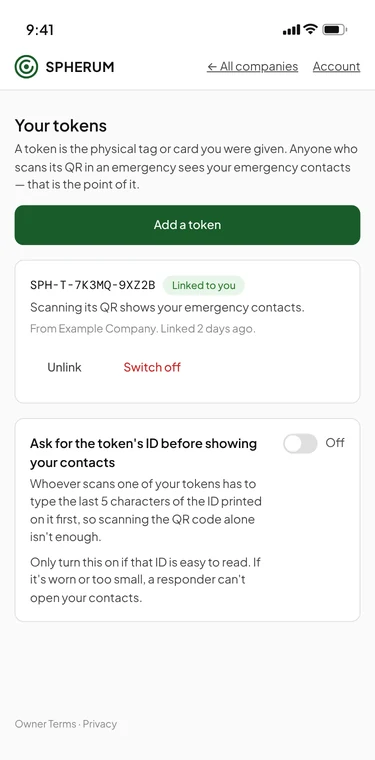
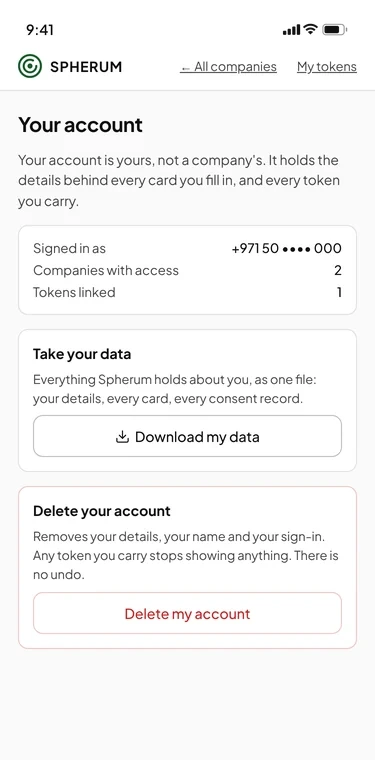
Grant screen listing exactly which fields Example Company will seeSigning in with a phone number; the code arrives on WhatsAppOne record shared with several companies, one of them revokedRevoking access to the card shared with Example Company: it stops being served at onceMy tokens: a linked card and the way to add anotherYour account: download your data or delete the account

Screens show the product with demo data. The interface may change as Spherum develops.

By design

Three things Spherum will not do

Each one is a choice, and each one is why the record stays trustworthy.

  • Copy contacts anywhere

    Nothing leaves. The API, exports and AI assistants never return a field value. Contacts are read where they live, not collected.

  • Cut everyone off at once

    Access is granted per company. A person who closes it for one keeps the others, and a card is unlinked one at a time.

  • Track people

    No location, no check-ins. Spherum knows who to call, not where anyone is.

AI

Run it from the assistant you already use

Spherum speaks MCP. Connect your assistant, or wire it into your own tools without writing code.

  • Live

    Ask your assistant

    Claude Code, Cursor and Copilot manage your list for you: who hasn't answered, invite these three, archive a leaver. An API key is all it takes, and the assistant never sees what is on anyone's card.

    Set it up in minutes →
  • Live

    No-code integration

    Connect Spherum to your HR system, a spreadsheet or your own agents through n8n and similar tools. New starters get invited and leavers get archived, and nobody opens the Portal.

    How it connects →
  • Live

    ChatGPT and Claude connectors

    Add Spherum as a connector and sign in with your own Portal account. Search, invite, re-send and archive from the chat you already have open — as yourself, with your role and your spheres. It never reads a card: you get a link to it in the Portal instead.

    How to connect →

Server address for any MCP client: https://api.spherum.ae/api/public/v1/mcp

Your first week

From sign-up to a full roster

  1. Day 1

    Start a trial

    Fourteen days free. Your workspace is ready in minutes.

  2. Day 1

    Set your fields

    Pick what each sphere asks for and what is required.

  3. Day 2

    Invite

    By email, in bulk, or with one shared link and QR.

  4. Days 3–7

    Watch the roster fill

    Resend to anyone who is quiet. Open cards as they arrive.

  5. Any time

    Order cards

    Branded cards for your people. A small, visible act of care.

Tokens

Care they carry, with your name on it

The card is Spherum in physical form. Hand one to every employee, contractor or visitor, and their emergency contacts are one scan away wherever they are. It shows people you thought about them before anything happened. It carries your logo and colours, so it also keeps your brand in their wallet. Add them to your subscription at any time.

See tokens →
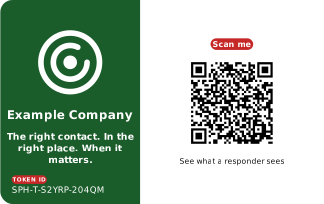
Demo Spherum card for Example Company with a QR code that reads Scan me
Point your phone at it. Mary Major is a demo person; her contacts are made up.

Start with ten people

Monthly from $29, no annual minimum. Fourteen days free, and your card is charged on day 15 at the numbers you set.